
I have been using the Deeper Pro Plus for some time and I have put together a few tips which may help you get more from your Deeper.
1. When you cast out and are mapping the lake, the Deeper will take a few seconds for the GPS to lock on each time – check the GPS icon has changed from orange to green.

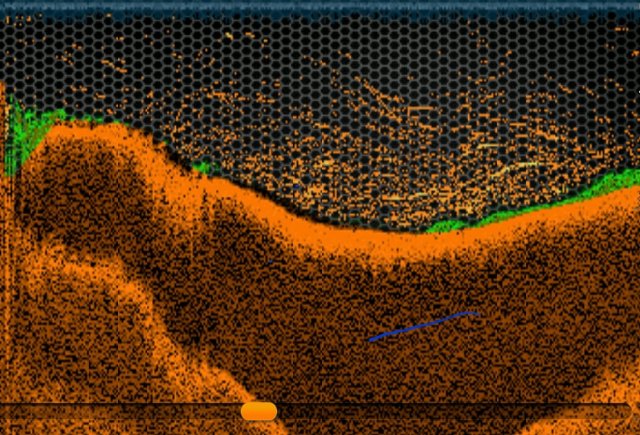
2. If you reel in too fast, you can create a false reading for the depth on the Deeper.

As you can see from the middle part of the screen shot that the Deeper been pulled down into the water.
3. If the Deeper doesn’t auto connect, you can manual do this via Setting –

manage Deepers –

Refresh & then Connect, in most instances this will have already happen.

Hints & Tips Video
Part 1
Part 2 – Coming Soon
Hopes these two videos help you with your Deeper Pro Plus
Until Next Time
Richard